Your private document vault
Every important document, gathered in one calm, secure place. Papers reads each one for you, files it, and reminds you before things are due.
Download on theApp StoreFree for up to 10 documents. For iPhone and iPad.
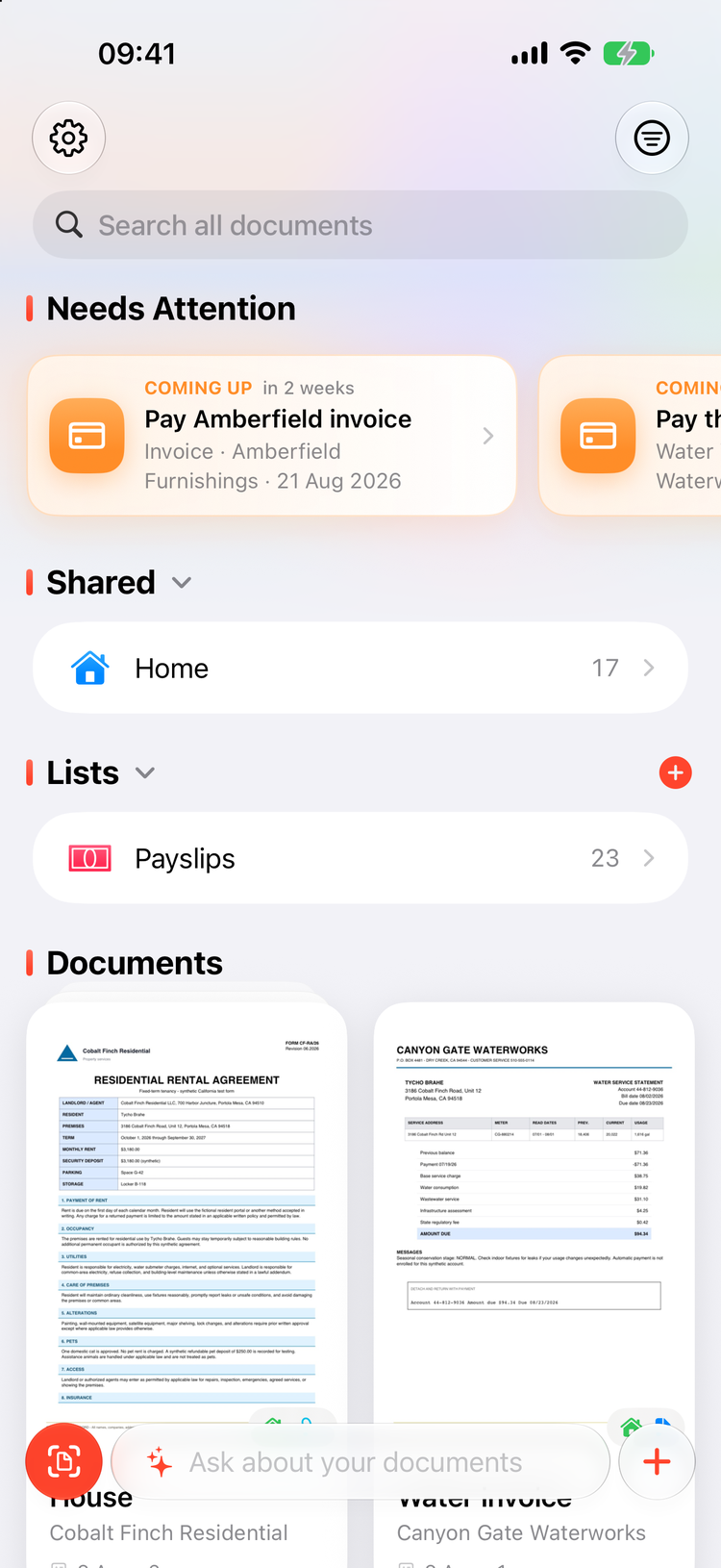
Paperwork, handled
Scan it, forget it, find it again in seconds. Papers takes care of the boring parts so you never lose track of the important ones.
Capture anything
Point the camera at any piece of paper and Papers finds the edges for you. Or bring documents in another way, it all ends up in the same tidy place.
- Scan paper with automatic edge detection
- Import PDFs, files, and photos from your library
- Drag and drop files on iPad
- Multi-page documents, with pages you can add, reorder, and remove later
Reads every document for you
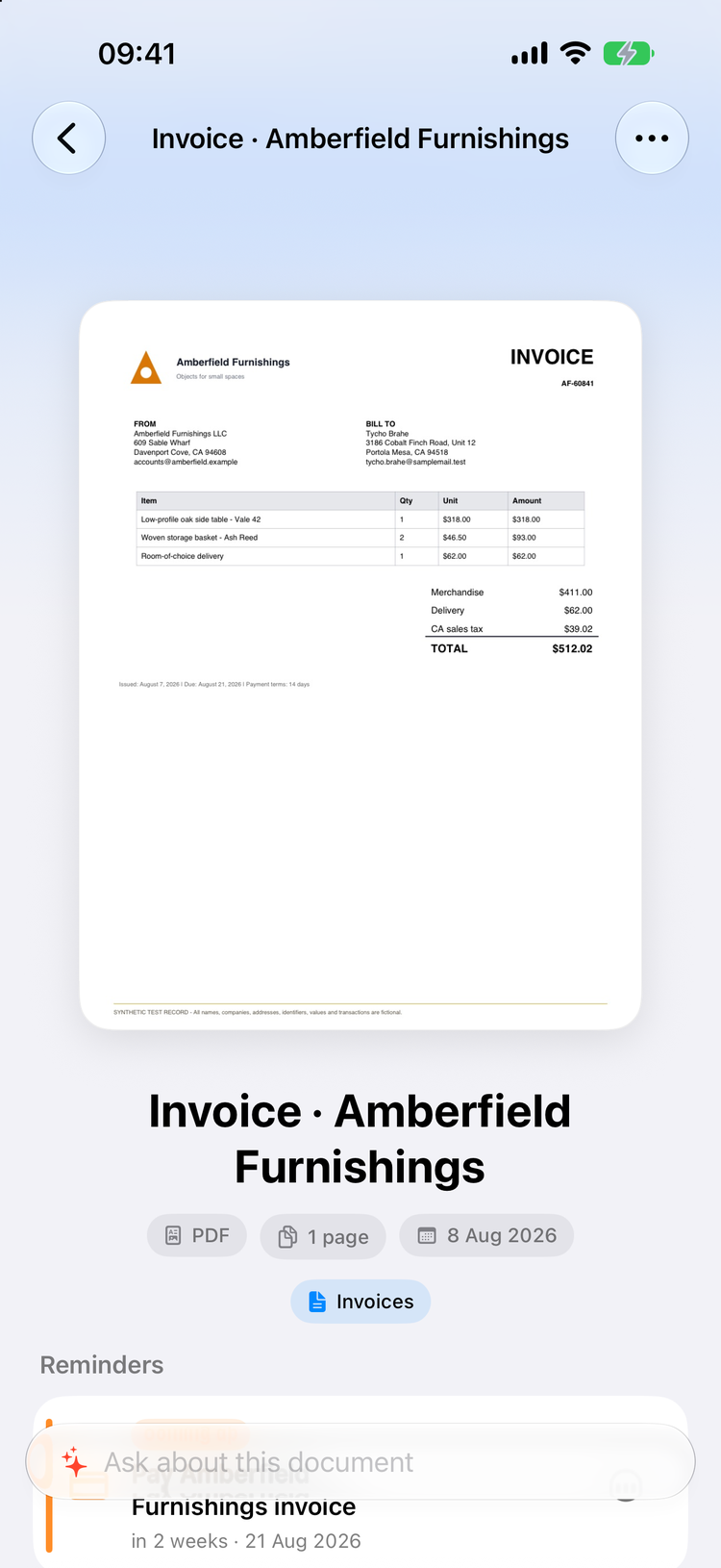
With Apple Intelligence, Papers turns a blurry scan into something useful. Each document gets a clean title, sensible tags, and the key details pulled out where you can see them.
- Clean titles, written automatically
- Tags picked for you, always editable
- Amounts, due dates, parties, and reference numbers, with the most important flagged
- Insights that tell you what a document actually means for you
Never miss a deadline
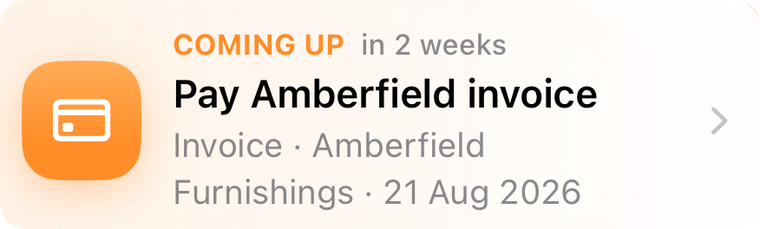
Papers notices due dates and turns them into action items, so the bill you scanned in July does not surprise you in September.
- A "Needs Attention" rail that surfaces what is coming up
- One tap adds an item to Apple Reminders or Calendar
- Documents with upcoming dates appear automatically
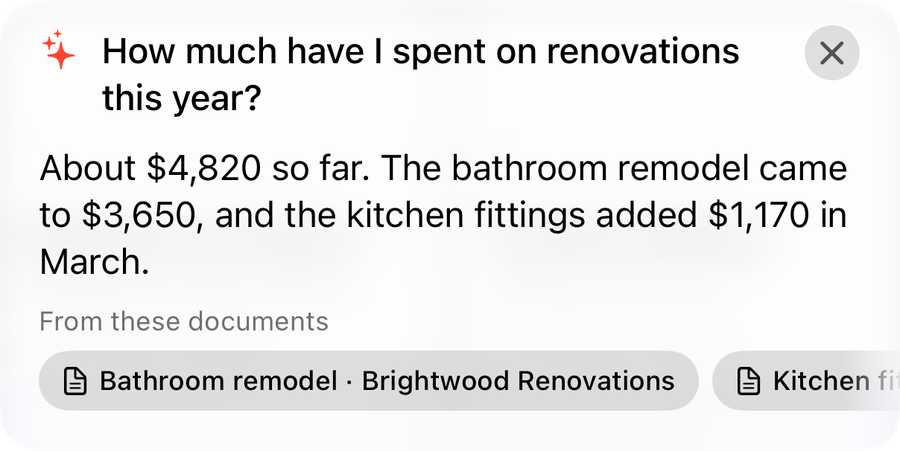
Just ask, in plain words
Ask questions about your whole library, a list, a tag, or a single document. "When does my lease end?" gets a real answer, with the source documents cited as tappable chips.
- Answers always cite the documents they came from
- Semantic search finds meaning, not just matching words
- Instant keyword search as a fallback, so search always works
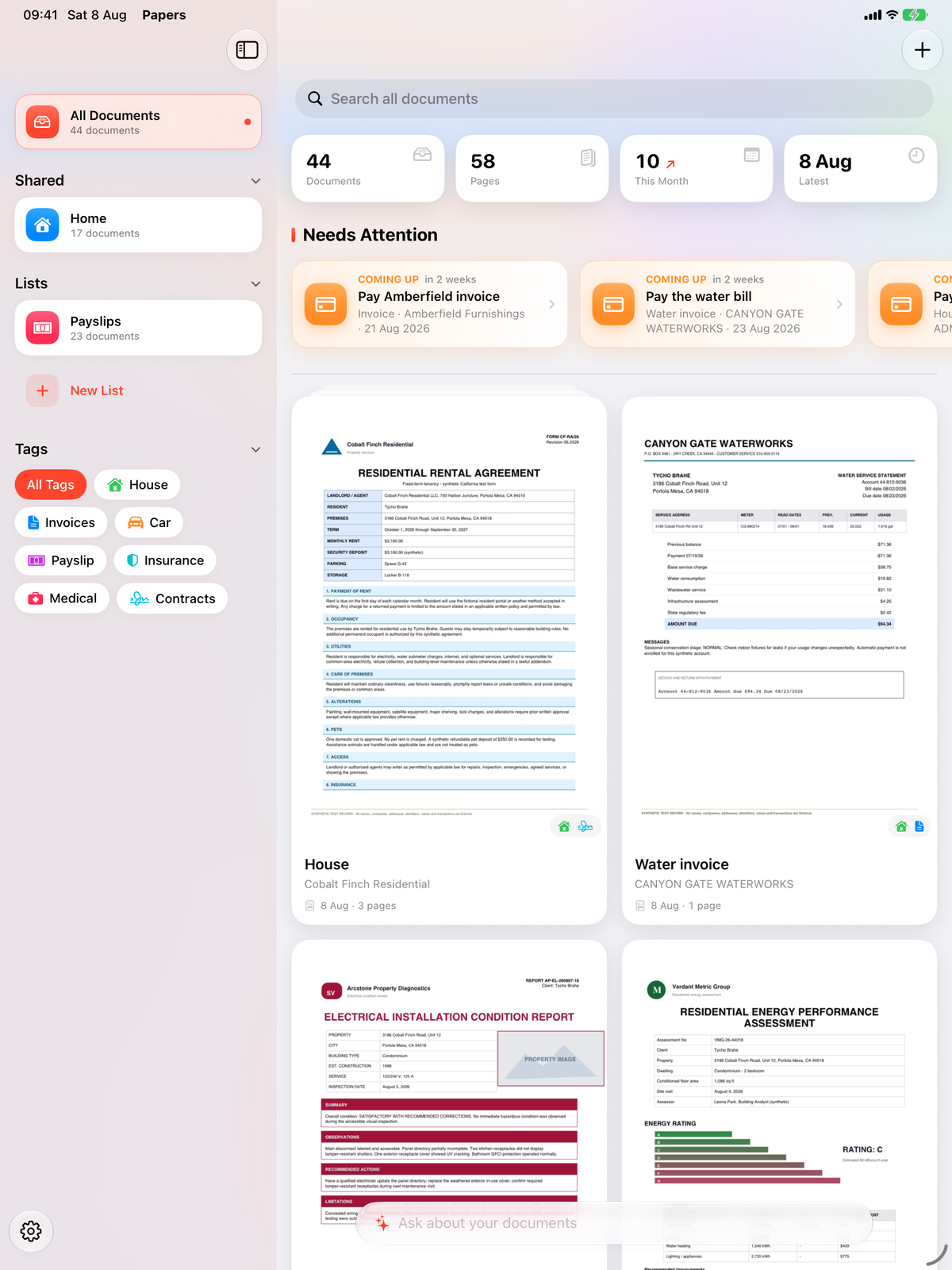
Organized without the effort
Group documents into lists and share a whole list with family or anyone you trust, kept in sync through iCloud. Tags with colors and symbols are applied automatically and stay fully editable.
- Lists for projects, people, or places
- Share a list and collaborate through iCloud
- Colorful tags, applied by AI, refined by you
- Search everywhere, plus Spotlight and Handoff integration
Private by design
Your paperwork is some of the most personal data you have. Papers is built so that it stays yours.
No accounts
Nothing to sign up for, nothing to sign in to. Open the app and start.
No analytics, no tracking, no ads
Papers does not watch what you do. There is nothing to opt out of.
Your private iCloud
Documents live in your private iCloud database and sync across your devices. There are no third-party servers, and the developer can never see your documents.
Apple Intelligence only
AI runs with Apple Intelligence, including Apple's Private Cloud Compute. Your documents are never sent to any third-party AI service.
Confidential mode
Mark any document Confidential and it is excluded from AI analysis, AI search, and sharing entirely.
Face ID app lock
Lock the whole app behind Face ID or Touch ID. Your documents stay private until it is really you.
Simple, honest pricing
Try everything for free. Pay once if you want more room. No subscription, ever.
- Up to 10 documents
- Every feature included
- No account needed
- Unlimited documents
- Every feature included
- No subscription, yours forever
- Restore on any of your devices
Purchases are handled by the App Store. Price may vary by region. AI features require a device that supports Apple Intelligence. Everything else works on every device running iOS 27 or later.
Give your paperwork a good home
Free to start, private by design, and ready in seconds.
Download on theApp Store